
Quick Take
- What Is an AI Customer Support Agent?
- AI Chatbot vs AI Support Agent
- Why Businesses Need AI Customer Support
- The Architecture of an AI Customer Support Agent
What You'll Learn
In this article you'll learn:
- What Is an AI Customer Support Agent?
- AI Chatbot vs AI Support Agent
- Why Businesses Need AI Customer Support
- The Architecture of an AI Customer Support Agent
- Example: RAG-Based Support
- Designing the Escalation Logic
How This Works
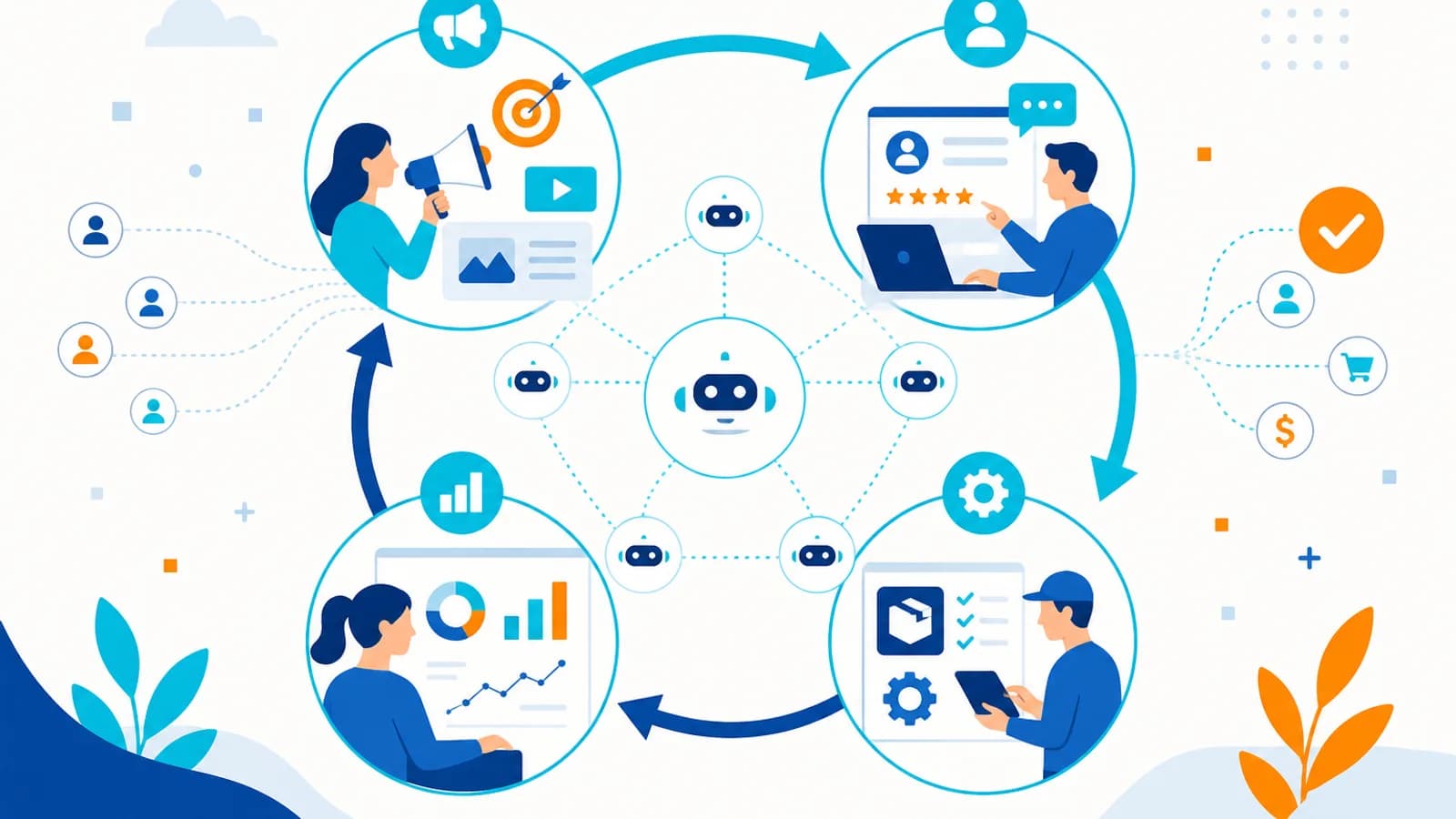
Automation replaces repetitive handoffs by applying rules or AI-assisted decisions, then executing actions in connected business systems.
Automation workflow
- Step 1: Manual process
- Step 2: Rules / AI
- Step 3: Automation workflow
- Step 4: Business system
- Step 5: Notification
- Step 6: Dashboard
Have a similar process in your organization?
Explore Your Automation Opportunity →Customer support has changed. Customers no longer want to wait hours for a simple answer. They expect businesses to respond quickly, understand their problem, provide accurate information, and help them complete the next step.
At the same time, support teams are dealing with growing volumes of emails, website chats, WhatsApp messages, support tickets, product questions, order queries, account issues, and troubleshooting requests. Hiring more people isn’t always the most scalable solution.
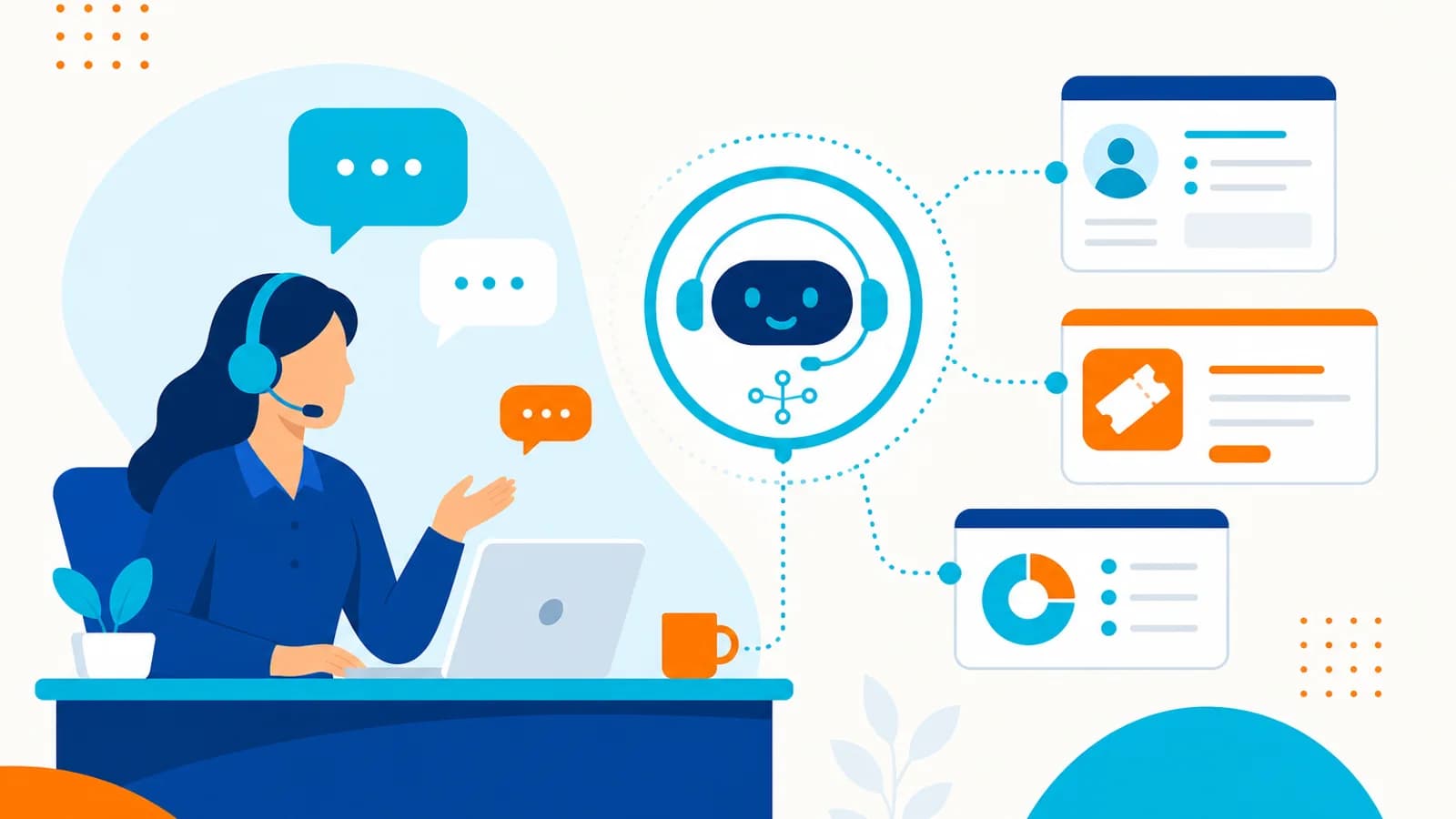
This is where an AI customer support agent can help. Unlike a basic chatbot that simply matches questions with predefined answers, an AI support agent can understand natural language, retrieve business information, use tools, interact with backend systems, and escalate complex issues to human agents.
The goal isn’t to replace your support team. The goal is to allow AI to handle repetitive work while your people focus on the conversations that require judgment, empathy, and expertise.
What Is an AI Customer Support Agent?#
An AI customer support agent is an AI-powered system that can understand customer requests and take appropriate actions within controlled business workflows. A simple chatbot might work like: Question → Match FAQ → Return Answer. An AI support agent can work more like: Customer Message → Understand Intent → Retrieve Context → Check Systems → Decide Action → Respond → Update Ticket → Escalate if Necessary.
For example, a customer might say they paid for a subscription yesterday but still can’t access premium features. The agent can potentially identify the customer, check the subscription and payment status, review previous conversations, identify the likely problem, search relevant support documentation, respond, create or update a ticket, and escalate if it cannot safely resolve the issue. This is considerably more powerful than a traditional FAQ chatbot.
AI Chatbot vs AI Support Agent#
These terms are often used interchangeably, but there is an important difference. A basic chatbot can answer FAQs with limited-to-strong natural language, limited context understanding, basic knowledge retrieval, and usually limited CRM, order, API, and multi-step capabilities. Escalation tends to be rule-based, and personalization and recommendations are limited.
An AI support agent also answers FAQs—but with strong natural language, strong context understanding, advanced knowledge retrieval, CRM and order access, ticket creation, API calls, multi-step tasks, stronger personalization and recommendations, and context-aware escalation. The key difference is action. A chatbot primarily provides information. An AI agent can potentially understand, decide, and act.
Why Businesses Need AI Customer Support#
Support teams spend a significant amount of time answering repetitive questions—where is my order, how do I reset my password, what is your refund policy, how can I upgrade my plan, can I change my delivery address, what documents do I need, when will my subscription renew. These questions may be simple, but they consume employee time.
An AI support agent can handle many repetitive interactions automatically. This can help businesses reduce response times, provide 24/7 support, reduce repetitive workload, improve consistency, handle higher support volumes, personalize responses, and improve customer experience. But the system needs to be designed carefully.
The Architecture of an AI Customer Support Agent#
A production AI support system typically contains several components. A simplified architecture looks like: Customer → Chat / WhatsApp / Email / Website → AI Support Agent → Context + Knowledge → Tools / APIs → CRM / ERP / Order System / Database → Response → Human Escalation if Required. Each layer has a specific responsibility.
The AI agent interprets the customer query, retrieves relevant information, uses connected business systems, and triggers deterministic automation before returning the response.
AI support architecture
- Step 1: Customer query
- Step 2: AI agent
- Step 3: Knowledge base
- Step 4: CRM / ticketing
- Step 5: Automation
- Step 6: Human escalation
- Step 7: Customer response
Building AI support for your business?
Discuss Your AI Use Case →1. Customer Interface#
The first layer is where customers communicate with the business—website chat, mobile application, WhatsApp, email, Facebook Messenger, Instagram, voice, or a customer portal. Ideally, the same AI support capability should be reusable across multiple channels. The customer shouldn’t have to understand which system is behind the conversation.
2. AI Agent#
The AI agent is responsible for understanding the customer’s request. It can identify intent, customer goal, important information, urgency, context, and required action. For example: “My order was supposed to arrive yesterday and tracking hasn’t updated.” The agent can identify intent (delivery issue), that an order is required, that the action is to check order status, and a potential escalation for delivery delay. This is where an AI model provides value.
3. Knowledge Base#
The agent needs access to accurate business information. Your knowledge base might contain FAQs, product documentation, policies, pricing, user guides, troubleshooting documentation, shipping information, refund policies, and internal support documentation.
This information can be stored in databases, documents, knowledge bases, vector databases, and search indexes. The AI retrieves relevant information before generating the response.
4. RAG for Customer Support#
One of the most useful techniques for AI support is RAG — Retrieval-Augmented Generation. Instead of asking the AI to answer every question from its general model knowledge: Customer Question → Search Business Knowledge → Retrieve Relevant Information → AI Generates Answer.
This is important because business information changes—pricing, policies, products, delivery times, and features. The AI should ideally use current business information rather than relying solely on what the model learned during training.
Example: RAG-Based Support#
Customer: “Can I cancel my annual subscription after 30 days?” The system can identify the question, search the cancellation policy, retrieve the relevant section, provide the answer, and include the appropriate next step. This is much safer than allowing the model to invent a policy.
5. Tool Calling#
An AI support agent becomes much more useful when it can use tools. For example, expose controlled tools such as Customer (get/update), Order (find/get status), Subscription (check/get renewal date), Ticket (create/update/escalate), and Knowledge (search documentation).
The AI agent can decide which tool is needed. For “Where is my order?”, the agent identifies that it needs the Order Status Tool, retrieves the information, and responds.
6. CRM Integration#
A customer support agent should ideally understand the customer relationship, not just the current message. CRM information might include customer name, previous interactions, purchases, support tickets, subscription, account status, customer segment, and sales history.
For example, a premium customer with three unresolved tickets may require different handling from a new customer asking a basic question. The AI agent can use customer context to personalize the interaction.
7. Ticketing System Integration#
Not every issue should be solved automatically. The AI agent should be able to create and update support tickets. For example: Customer Issue → AI investigates → Issue cannot be safely resolved → Ticket created → Priority assigned → Summary generated → Human agent receives context.
The human doesn’t need to ask the customer to repeat everything. They receive the customer, problem, relevant account information, steps already attempted, AI analysis, and recommended next action. This can make human escalation significantly more efficient.
8. Human-in-the-Loop#
One of the most important components of an AI support system is human escalation. AI should not be expected to handle every situation. Escalate when the customer is highly frustrated, the issue involves sensitive information, the AI lacks sufficient information, the customer explicitly requests a human, a financial decision is required, a refund exceeds a defined threshold, the issue involves legal or regulatory concerns, or multiple automated attempts have failed.
The workflow can be: AI → Detect Risk → Stop → Escalate → Human. This is much safer than allowing the agent to continue guessing.
Designing the Escalation Logic#
You can define explicit conditions. Automatically resolve password resets, order tracking, basic product information, FAQs, and account information. Use AI + approval for refund requests, subscription changes, discount requests, and address changes. Keep human-only for legal complaints, fraud investigations, complex disputes, and sensitive account issues. The exact categories depend on the business.
9. Multi-Step Support Workflows#
The real value of an AI agent appears when the problem requires multiple actions. Consider: “I was charged twice for my subscription.” A simple chatbot may say “Please contact support.” An AI agent can potentially identify the customer, retrieve billing history, check recent transactions, detect duplicate charges, check refund policy, create a refund request, request human approval if necessary, update the support ticket, and inform the customer. That’s a complete business workflow.
10. Using n8n for AI Support Automation#
Workflow automation platforms such as n8n can be used to connect the AI agent with business systems. For example: Customer Message → n8n → AI Agent → Knowledge Base → CRM → Order API → Ticketing System → Customer Response.
n8n can help orchestrate the integration between the AI layer and existing applications. This is particularly useful when a business already has multiple SaaS platforms and doesn’t want to replace them.
Example n8n AI Support Workflow#
A simplified workflow could look like: Webhook receives customer message → Identify Customer → AI Agent determines intent → IF FAQ, search knowledge base; IF order issue, Order API; IF account issue, CRM; IF billing issue, billing system; IF complex issue, human escalation → Generate Response → Send Response → Update CRM → Log Conversation. This creates an end-to-end workflow rather than just an AI chat interface.
11. Voice AI Customer Support#
AI support doesn’t have to be text-based. Voice agents can potentially receive calls, convert speech to text, understand intent, retrieve customer information, check orders, provide answers, create tickets, and transfer calls to humans.
A voice workflow might look like: Customer Call → Speech Recognition → AI Agent → CRM / Tools → Response Generation → Text-to-Speech → Customer. For businesses receiving high call volumes, this can become a powerful extension of digital customer support.
12. Personalization#
Customers don’t want generic answers when the business already knows who they are. Compare “Please check your order status using our tracking page” with “Your order #12345 was shipped yesterday and is currently in transit. The latest carrier update shows an expected delivery tomorrow.” The second response is more useful because it uses customer-specific information.
AI agents can combine conversation context, customer data, and business knowledge to provide personalized support.
13. Multilingual Support#
Global businesses often need to support customers in multiple languages. AI can help translate and understand customer messages across languages. For example: Customer Hindi → AI understands intent → Business system → AI generates response → Customer receives Hindi response.
This can reduce the need to build separate support workflows for every language. Human review may still be important for sensitive or highly specialized communication.
14. Proactive Customer Support#
AI support doesn’t have to wait for customers to ask questions. Businesses can build proactive workflows. For example: Payment Failure → AI identifies affected customer → Determine appropriate communication → Send notification → Provide payment instructions → Create follow-up task.
Another example: Delivery Delay Detected → Identify affected customers → Generate personalized notification → Send message → Update support record. The system can address potential problems before customers contact support.
15. AI Support Analytics#
Every support interaction creates useful information. AI can analyze conversations to identify common problems, product complaints, frequently asked questions, customer sentiment, repeated issues, feature requests, and escalation patterns.
Management could ask “What were the top five customer complaints this month?” The system could analyze support conversations and produce a summary. This turns customer support from a cost center into a source of business intelligence.
16. AI Support Quality Monitoring#
AI can also help evaluate support conversations—was the response accurate, was the customer’s question answered, was the correct policy used, was the tone appropriate, was escalation handled correctly? A monitoring workflow could flag conversations for human review. This creates an additional quality-control layer.
17. Security and Permissions#
An AI customer support agent may have access to sensitive customer information. Therefore, security must be designed from the beginning. Important controls include authentication (verify the customer before exposing account information), authorization (only allow access the customer is permitted to see), tool permissions (give agents access only to necessary tools), audit logs, data protection during storage and transmission, and human approval for sensitive actions.
A useful principle is: The AI agent should have the minimum permissions required to complete its job.
18. Preventing AI Hallucinations#
One of the biggest concerns with AI customer support is incorrect information. If a customer asks about your refund policy and the AI invents an answer, the business could face financial or reputational problems.
Therefore: ground responses in business knowledge using approved documentation; use tool calls for dynamic information such as the actual order system; set confidence thresholds and escalate when not confident; restrict sensitive actions so the model cannot independently execute high-risk actions; and monitor conversations regularly. The goal isn’t to make the AI answer every question. The goal is to make the AI answer the right questions reliably.
19. Measuring AI Customer Support ROI#
Before implementing an AI support agent, establish measurable goals. Track response time, resolution time, automation rate (percentage handled without human intervention), escalation rate, customer satisfaction, cost per interaction, first contact resolution, and agent productivity—how much additional workload human support agents can handle. The goal should be measurable business improvement.
20. A Practical Implementation Roadmap#
Don’t attempt to automate every support process immediately. Start with a focused implementation. Phase 1: Analyze support requests—review historical conversations and identify most common questions, repetitive tasks, high-volume requests, and common escalation reasons. Phase 2: Build the knowledge base—organize FAQs, policies, documentation, product information, and troubleshooting guides, and remove outdated information.
Phase 3: Build the AI assistant starting with informational questions such as product information, FAQs, policies, and basic troubleshooting. Phase 4: Add business tools—CRM, order system, ticketing, subscription system, and knowledge base. Phase 5: Add controlled actions for low-risk work. Phase 6: Add human escalation with clear rules. Phase 7: Monitor and improve accuracy, escalations, customer satisfaction, failed interactions, hallucinations, and tool failures—then continuously improve the system.
A Recommended AI Support Architecture#
A scalable architecture can look like this: Customer Channels (Website | WhatsApp | Email | Voice | Mobile App) → Channel Gateway → AI Support Agent → Intent + Context → RAG / Knowledge Layer → Tool Layer (CRM | Orders | Billing | Tickets | Account) → Workflow Orchestration (n8n / APIs / Backend Services) → Business Systems → Response → Monitoring + Analytics → Human Escalation.
This architecture allows businesses to add channels and tools without completely rebuilding the AI system.
Architecture diagrams show how users, applications, data, and enterprise systems connect in a production solution.
System architecture
- Step 1: User
- Step 2: Application
- Step 3: API layer
- Step 4: Business logic
- Step 5: Database
- Step 6: Enterprise systems
- Step 7: Monitoring
How Much Does an AI Customer Support Agent Cost?#
There is no single price. The cost depends on number of conversations, AI model, number of integrations, knowledge base size, channels, voice requirements, infrastructure, security requirements, human escalation, monitoring, and custom development.
A simple FAQ assistant can be relatively inexpensive. A production-grade enterprise support agent connected to CRM, ERP, billing, voice, and multiple internal systems is significantly more complex. Therefore, businesses should start with the highest-value support workflow, not the largest possible system.
Should You Build or Buy?#
Businesses generally have three options. Option 1: Use an existing AI support platform—best when requirements are standard, integrations already exist, and speed is the priority. Option 2: Customize an existing platform—best when you need custom workflows, specific integrations, and more control.
Option 3: Build a custom AI support agent—best when workflows are highly specialized, you need deep system integration, security requirements are strict, or the AI agent is a core business capability. The correct choice depends on business requirements rather than technology preference.
Common Mistakes to Avoid#
Building an AI agent before organizing knowledge—if your documentation is outdated, AI will struggle. Giving the agent unlimited access—use controlled tools and permissions. Automating high-risk actions immediately—start with low-risk workflows. Ignoring human escalation—customers should always have a path to a human when necessary.
Measuring only chat volume—a large number of conversations doesn’t mean the system is successful. Ignoring customer experience—automation should make support better, not simply cheaper. Trying to solve everything at once—start with a focused use case and expand.
The Future of Customer Support#
Customer support is moving from Customer asks → Human searches → Human responds toward Customer asks → AI understands → AI retrieves → AI acts → AI responds → Human handles exceptions. This doesn’t mean humans disappear. Instead, human support becomes more specialized.
People focus on complex problems, sensitive situations, strategic customers, escalations, relationship management, and cases requiring empathy and judgment. AI handles the repetitive layer. Humans handle the exceptional layer.
Final Thoughts#
An AI customer support agent is more than a chatbot. A chatbot answers questions. A well-designed AI support agent can Understand → Retrieve → Reason → Use Tools → Act → Respond → Record → Escalate. That makes it possible to automate complete customer support workflows rather than simply automate conversations.
The strongest implementations combine AI models, business knowledge, RAG, CRM and backend integrations, workflow automation, human oversight, and security and monitoring. The objective isn’t to create an AI that answers everything. The objective is to create an AI system that knows what it can handle, knows what information it needs, knows what actions it is allowed to take, and knows when a human should take over.
The Bottom Line#
If your support team spends significant time answering repetitive questions, checking customer information, updating tickets, tracking orders, or searching internal documentation, an AI support agent may provide substantial value.
Start small. Choose your highest-volume support requests. Build a reliable knowledge base. Connect the systems the AI needs. Give the agent controlled tools. Introduce human approval for sensitive actions. Measure the results. Then expand.
The future of customer support isn’t AI instead of humans. It is AI for speed and scale + humans for judgment and empathy. Businesses that build this balance effectively can provide faster support, reduce repetitive workload, improve customer experiences, and create a support operation that scales without simply adding more people.
When you are ready to move from concept to delivery, AIOBook can help with AI agent development services, AI workflow automation, custom CRM development, n8n automation services, and RAG application development so your support agent stays grounded in approved knowledge and connected to the systems your team already uses.
How This Benefits an Organization
Support teams spend a significant amount of time answering repetitive questions—where is my order, how do I reset my password, what is your refund policy, how can I upgrade my plan, can I change my delivery address, what documents do I need, when will my subscription renew. These questions may be simple, but they co…
- Less repetitive work
- Fewer handoff errors
- Connected systems
- Better operational visibility
You May Also Like
AI Agents vs Traditional Automation: What Businesses Should Choose in 2026?
10 August 2026
n8n + AI Agents: 10 Business Processes You Can Automate in 2026
10 August 2026
AI-Powered CRM: Why Traditional CRMs Are Becoming Outdated in 2026
10 August 2026
How Businesses Can Automate Their Entire Workflow Using AI Agents in 2026
10 August 2026