
Quick Take
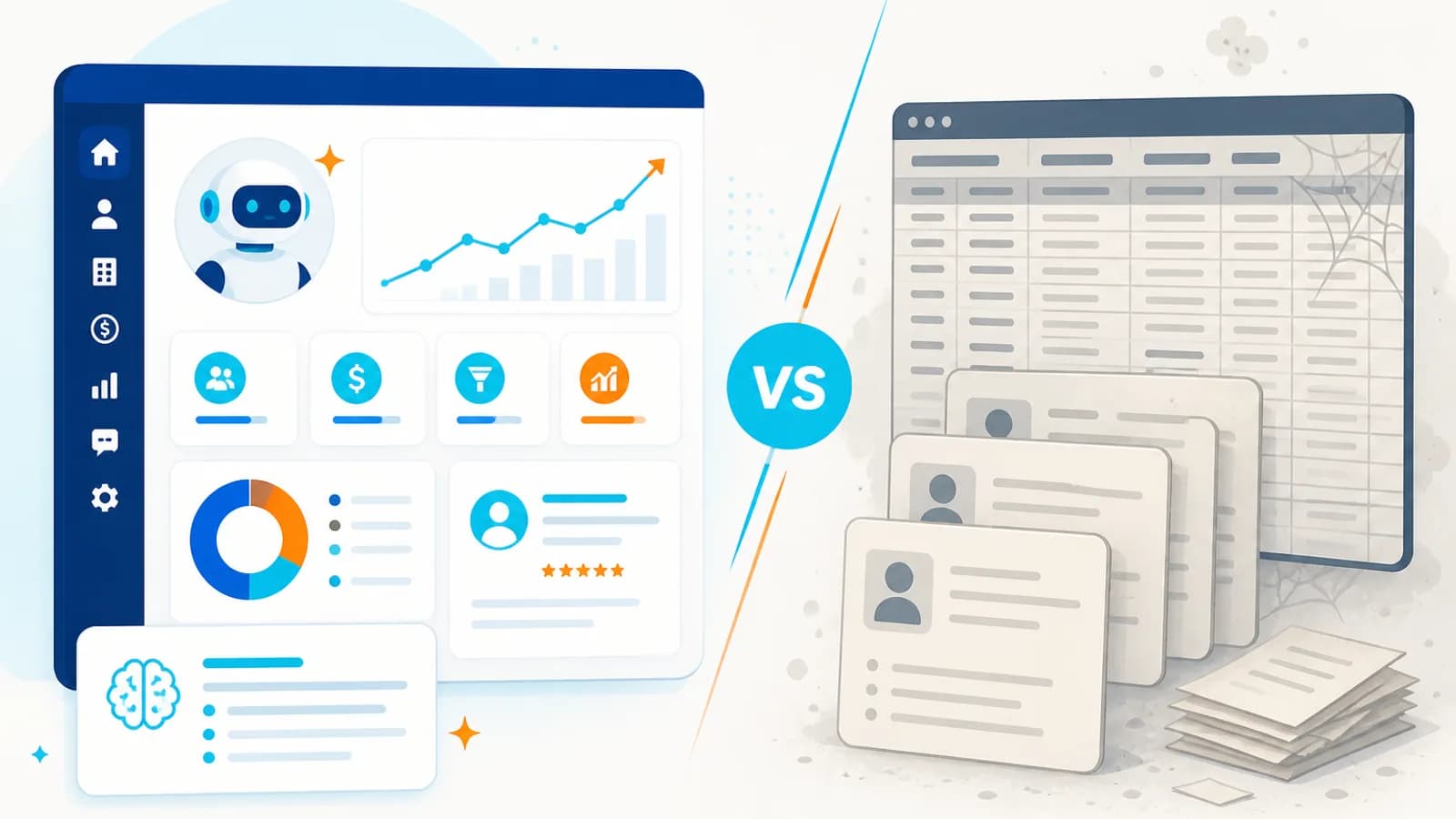
- Traditional CRMs store information
- AI-powered CRMs understand context, recommend next actions, and automate work
- Learn why businesses are upgrading CRM in 2026
What You'll Learn
In this article you'll learn:
- What Is a Traditional CRM?
- What Is an AI-Powered CRM?
- Traditional CRM vs AI-Powered CRM
- Why Traditional CRM Systems Are Becoming Outdated
- AI Agents Take CRM One Step Further
- Example: AI-Powered Sales CRM
How This Works
Modern CRM workflows combine lead capture, qualification, pipeline management, and follow-up automation so sales teams focus on high-value conversations.
Connected sales workflow
- Step 1: Leads
- Step 2: CRM
- Step 3: AI qualification
- Step 4: Sales pipeline
- Step 5: Automated follow-up
- Step 6: Dashboard
- Step 7: Higher visibility
Want to automate your sales workflow?
Discuss Your CRM Requirement →For years, CRM systems have been the backbone of sales and customer management. Businesses use CRMs to store contacts, track leads, manage sales pipelines, record customer interactions, create tasks, and generate reports.
But there is a fundamental problem with many traditional CRM systems: they store information. They don’t necessarily understand it.
Sales teams still spend hours entering data, updating records, reading emails, qualifying leads, preparing follow-ups, searching for customer information, and deciding what action to take next. This is where AI-powered CRM is changing the game.
In 2026, businesses are moving from CRM as a system of record toward CRM as an intelligent business system—one that can understand customer information, recommend actions, automate workflows, and increasingly take action on behalf of employees.
The question is no longer whether businesses need a CRM. The question is: Should your CRM simply store what your team knows, or should it help your team know what to do next?
What Is a Traditional CRM?#
A traditional CRM primarily acts as a centralized database for customer and sales information. It typically stores customer details, contact information, lead sources, sales opportunities, pipeline stages, notes, tasks, emails, meetings, deals, support tickets, and reports.
The basic workflow looks like: Customer Interaction → Employee Records Information → CRM Stores Information → Employee Reviews Information → Employee Takes Action. The human remains responsible for most of the interpretation and decision-making.
For example, after speaking with a potential customer, a salesperson may need to open the CRM, find the customer, update the opportunity, add meeting notes, change the lead stage, create a follow-up task, schedule the next activity, and write a follow-up email. The CRM records the activity—but the employee is still doing most of the work.
Modern CRM workflows reduce manual coordination by connecting capture, qualification, pipeline updates, and follow-up automation.
Before
- Manual lead entry
- Delayed follow-up
- Siloed customer data
- Limited pipeline visibility
After AIOBook solution
- AI-assisted qualification
- Automated follow-up
- Connected customer history
- Real-time dashboards
Want to automate your sales workflow?
Discuss Your CRM Requirement →What Is an AI-Powered CRM?#
An AI-powered CRM adds intelligence to the customer management process. Instead of simply storing information, it can analyze customer interactions and help determine who is likely to convert, which leads need immediate attention, what the customer discussed, what the salesperson should do next, which customers are at risk of leaving, what message should be sent, which opportunities are becoming inactive, and which deals need management attention.
The workflow becomes: Customer Interaction → AI Understands Context → CRM Updates Automatically → AI Recommends Action → Workflow Executes Action.
And with AI agents: Customer Interaction → AI Understands → Reasons → Decides → Uses Tools → Executes → Records Result. This is a significant shift.
Modern CRM workflows reduce manual coordination by connecting capture, qualification, pipeline updates, and follow-up automation.
Before
- Manual lead entry
- Delayed follow-up
- Siloed customer data
- Limited pipeline visibility
After AIOBook solution
- AI-assisted qualification
- Automated follow-up
- Connected customer history
- Real-time dashboards
Want to automate your sales workflow?
Discuss Your CRM Requirement →Traditional CRM vs AI-Powered CRM#
Both traditional and AI-powered CRMs can store customer information, manage contacts, track sales pipelines, and generate reports. The difference shows up in how work gets done around that data.
Traditional CRMs often require high manual data entry, rely on rule-based or manual lead qualification, and provide limited conversation analysis, next-best-action recommendations, and predictive insights. Automation is typically rule-based, personalization is moderate, and contextual decision-making is limited.
AI-powered CRMs reduce manual data entry, assist with lead qualification, analyze conversations more deeply, drive intelligent follow-ups, support natural-language interaction, and deliver stronger predictive insights. They combine AI with rule-based automation, enable higher personalization, treat AI agents as a core capability, and support advanced contextual decision-making.
The difference is not simply “CRM + AI.” The bigger change is how the CRM participates in the business process.
Modern CRM workflows reduce manual coordination by connecting capture, qualification, pipeline updates, and follow-up automation.
Before
- Manual lead entry
- Delayed follow-up
- Siloed customer data
- Limited pipeline visibility
After AIOBook solution
- AI-assisted qualification
- Automated follow-up
- Connected customer history
- Real-time dashboards
Want to automate your sales workflow?
Discuss Your CRM Requirement →Why Traditional CRM Systems Are Becoming Outdated#
Traditional CRMs are not necessarily obsolete. The problem is that many businesses are still using CRM systems as passive databases while expecting their employees to perform intelligent work around them. That model becomes increasingly inefficient as businesses scale.
Modern CRM workflows reduce manual coordination by connecting capture, qualification, pipeline updates, and follow-up automation.
Before
- Manual lead entry
- Delayed follow-up
- Siloed customer data
- Limited pipeline visibility
After AIOBook solution
- AI-assisted qualification
- Automated follow-up
- Connected customer history
- Real-time dashboards
Want to automate your sales workflow?
Discuss Your CRM Requirement →1. Too Much Manual Data Entry#
Salespeople are hired to sell, not to spend hours maintaining databases. Yet many organizations still expect sales teams to manually enter call notes, meeting summaries, lead status, customer requirements, follow-up dates, opportunity updates, and contact information.
AI can reduce much of this administrative workload. For example, after a sales call, an AI system can analyze the conversation, extract requirements, summarize the discussion, identify objections, update the CRM, create a follow-up, and draft an email. The salesperson can review the result instead of entering everything manually.
2. CRMs Often Store Data Without Understanding Context#
Consider these three customer notes: “Interested in enterprise plan.” “Budget approved. Wants implementation next month.” “Still evaluating competitors. Concerned about migration cost.” A traditional CRM may simply store these notes.
An AI-powered CRM can identify the difference in intent and urgency. It can potentially determine purchase intent, sales stage, objections, timeline, budget signals, competitor mentions, and required follow-up. The CRM moves from storing information to understanding information.
3. Salespeople Still Have to Decide What to Do Next#
A CRM can show hundreds of opportunities. But the salesperson still has to answer: Which customer should I contact today?
An AI-powered CRM can analyze signals such as recent communication, customer engagement, deal value, previous interactions, email responses, website activity, sales stage, purchase history, and time since last contact. It can then prioritize opportunities.
Instead of “Here are 200 leads,” the system can provide: “These 12 leads require attention today, and here is why.” That is a much more useful experience.
4. Follow-Ups Can Become Intelligent#
Traditional CRM automation often works like: If lead stage = X → Send email Y after 3 days. This works for predictable scenarios. But customers are not predictable.
An AI-powered system can consider the context of the interaction. For example, a customer may say: “The proposal looks good. I need to discuss the implementation timeline with my team.”
Instead of automatically sending a generic follow-up three days later, the system can understand that the customer is waiting on an internal discussion. It could recommend: “Follow up tomorrow afternoon and focus on implementation timeline.” This creates more contextual engagement.
5. Customer Conversations Are Becoming Valuable Data#
Modern businesses interact with customers across email, WhatsApp, phone calls, websites, chat, social media, support platforms, and video meetings. Traditional CRM systems often depend on employees manually recording these interactions.
AI can help turn conversations into structured business information: Conversation → Speech/Text Analysis → Customer Intent → Requirements → Objections → Sentiment → Sales Stage → CRM Update → Next Action. This can dramatically improve the quality and completeness of CRM data.
6. AI Can Make CRM Search More Natural#
Traditional CRM search often requires users to know exactly what they’re looking for. An AI-powered CRM can allow natural-language queries such as: “Show me all high-value opportunities that haven’t been contacted in the last 14 days.”
Or: “Which customers complained about implementation delays this month?” Or: “Which leads from last week’s website campaign are most likely to convert?”
Instead of navigating multiple reports and filters, employees can interact with the CRM conversationally. The CRM starts behaving more like an intelligent business assistant.
AI Agents Take CRM One Step Further#
AI-powered CRM becomes even more powerful when AI agents are introduced. An AI agent can potentially operate across multiple systems.
For example, when a new lead arrives, an AI agent can research the company, analyze the lead, check CRM history, review previous conversations, qualify the lead, update the CRM, generate a personalized email, schedule a follow-up, and notify the salesperson.
The agent doesn’t simply recommend what should happen. It can perform approved actions using business tools and APIs. This creates a transition from CRM as a System of Record to CRM as a System of Intelligence + Action.
Example: AI-Powered Sales CRM#
Imagine a company receives 500 leads every month. With a traditional CRM, the sales team may need to review leads, check information, qualify prospects, assign leads, send emails, update pipeline stages, schedule follow-ups, and monitor responses.
With an AI-powered CRM, the workflow could become: lead arrives and is captured automatically; AI enriches the lead with available business and customer context; AI qualifies the lead using predefined business criteria and contextual signals; the CRM updates stage and priority automatically; AI generates personalized communication; follow-up is automated based on customer responses; and high-value or complex opportunities are routed to the appropriate salesperson.
The salesperson focuses on selling, rather than administration.
AI-Powered CRM for Customer Support#
The opportunity isn’t limited to sales. Consider a support request: “I’ve already paid my invoice, but my account still says payment is pending.”
An AI-powered CRM can identify the customer, retrieve account information, check payment status, review previous interactions, understand the issue, search the knowledge base, determine the appropriate response, create or update a support ticket, and escalate the issue if required.
The customer receives a faster response while the support team spends less time searching through systems.
Modern CRM workflows reduce manual coordination by connecting capture, qualification, pipeline updates, and follow-up automation.
Before
- Manual lead entry
- Delayed follow-up
- Siloed customer data
- Limited pipeline visibility
After AIOBook solution
- AI-assisted qualification
- Automated follow-up
- Connected customer history
- Real-time dashboards
Want to automate your sales workflow?
Discuss Your CRM Requirement →AI-Powered CRM for Marketing#
Marketing teams can also benefit from intelligent CRM systems. An AI-powered CRM can analyze lead sources, campaign interactions, customer segments, previous purchases, engagement, website behavior, and email activity.
This can help answer questions such as: Which campaign is generating high-quality leads rather than just more leads? Which customers are ready for an upsell? Which inactive customers should receive a re-engagement campaign?
Marketing shifts from simply sending campaigns to context-aware customer engagement.
Modern CRM workflows reduce manual coordination by connecting capture, qualification, pipeline updates, and follow-up automation.
Before
- Manual lead entry
- Delayed follow-up
- Siloed customer data
- Limited pipeline visibility
After AIOBook solution
- AI-assisted qualification
- Automated follow-up
- Connected customer history
- Real-time dashboards
Want to automate your sales workflow?
Discuss Your CRM Requirement →The New CRM Architecture#
A modern AI-powered CRM can be thought of as several layers.
Data layer: customers, leads, deals, activities, documents, transactions, and interaction history. Integration layer: email, WhatsApp, telephony, websites, social platforms, ERP, payment systems, and marketing tools.
Intelligence layer: LLMs, machine learning, RAG, classification, prediction, and recommendation systems. Agent layer: AI agents that can research, qualify, recommend, communicate, update systems, and execute workflows.
Automation layer: deterministic actions such as API calls, notifications, record updates, scheduling, data synchronization, and business rules. Human layer: employees remain responsible for high-value decisions, exceptions, approvals, sensitive actions, and strategic customer relationships.
This hybrid architecture creates a balance between AI intelligence and business control.
Architecture diagrams show how users, applications, data, and enterprise systems connect in a production solution.
System architecture
- Step 1: User
- Step 2: Application
- Step 3: API layer
- Step 4: Business logic
- Step 5: Database
- Step 6: Enterprise systems
- Step 7: Monitoring
Does Every Business Need an AI CRM?#
No. If your business has very few customers, simple sales processes, low transaction volume, highly predictable workflows, and minimal customer interaction, a traditional CRM may be completely sufficient.
AI should be introduced where it solves a real business problem. For example: low complexity → traditional CRM; moderate complexity → CRM + automation + AI assistance; high complexity → AI-powered CRM + AI agents + automation.
The goal is not to add AI everywhere. The goal is to remove unnecessary manual work and improve decision-making.
What Businesses Should Automate First#
If you’re planning to transform an existing CRM, don’t start by rebuilding the entire system. Start with high-impact processes.
Priority 1: Data entry — automate CRM updates from forms, emails, calls, meetings, chat, and WhatsApp. Priority 2: Lead qualification — use AI to classify and prioritize leads. Priority 3: Follow-ups — generate and schedule contextual follow-ups.
Priority 4: Customer support — use AI to answer repetitive questions and retrieve customer information. Priority 5: Reporting — allow managers to ask business questions using natural language. Priority 6: Sales intelligence — identify at-risk opportunities, high-value prospects, stalled deals, upsell opportunities, and churn risks.
These areas usually provide a clearer business case than attempting to “AI-enable” every CRM feature.
The Biggest Challenge: Data Quality#
AI cannot fix fundamentally bad business data. If your CRM contains duplicate customers, missing information, incorrect statuses, outdated records, and inconsistent formats, then AI will have a weak foundation.
Before implementing AI, businesses should establish: clean data → unified customer identity → reliable integrations → governance → AI. The quality of the AI experience depends heavily on the quality and accessibility of business data.
Security and Governance Matter More Than Ever#
An AI-powered CRM may have access to extremely sensitive business information. That means businesses need to establish role-based access, data permissions, audit logs, encryption, API security, model access controls, data retention policies, human approval for sensitive actions, and monitoring and evaluation.
An AI agent should never have unrestricted access to every CRM operation simply because it is technically possible. A better approach is: least privilege + controlled tools + approval workflows + monitoring.
What Will the CRM of the Future Look Like?#
The CRM interface itself may become less important. Instead of employees navigating dozens of screens, they may simply ask: “What should I focus on today?”
The system could respond with 5 high-priority leads, 2 stalled opportunities, 1 customer at risk, 3 follow-ups due today, and 1 major upsell opportunity. Or a manager could ask: “Why did sales decline this month?” The AI could analyze CRM data, marketing data, customer interactions, and pipeline information and provide an explanation.
The CRM becomes less like a database interface and more like an intelligent business operating system.
The Future Is Not CRM vs AI#
The future isn’t about throwing away CRM platforms. It is about transforming what a CRM does.
Traditional CRM: Store → Track → Report. AI-powered CRM: Understand → Predict → Recommend → Automate → Act.
The traditional CRM remains the foundation. AI becomes the intelligence layer. Automation becomes the execution layer. Humans remain responsible for judgment, relationships, and strategic decisions.
Modern CRM workflows reduce manual coordination by connecting capture, qualification, pipeline updates, and follow-up automation.
Before
- Manual lead entry
- Delayed follow-up
- Siloed customer data
- Limited pipeline visibility
After AIOBook solution
- AI-assisted qualification
- Automated follow-up
- Connected customer history
- Real-time dashboards
Want to automate your sales workflow?
Discuss Your CRM Requirement →Final Thoughts#
Traditional CRM systems played an essential role in helping businesses organize customer information. But customer relationships have become far more complex. Customers communicate across multiple channels. Businesses generate enormous amounts of data. Sales teams need to respond faster. Employees spend too much time performing administrative work.
AI provides an opportunity to change the role of CRM. Instead of asking employees to constantly update the CRM, the CRM can increasingly understand interactions and update itself. Instead of simply showing a sales pipeline, it can identify where attention is required. Instead of waiting for employees to search for information, it can bring relevant information to them. Instead of simply recording what happened, it can help determine what should happen next.
That is why AI-powered CRM is becoming increasingly important in 2026. The future CRM won’t simply tell businesses what happened. It will increasingly help them understand what is happening, why it is happening, what is likely to happen next—and most importantly, what the business should do about it.
The Bottom Line#
Businesses don’t necessarily need to replace their existing CRM. They need to ask: How much of our CRM work is still being performed manually by humans?
If employees are spending hours entering data, qualifying leads, searching for customer information, writing repetitive follow-ups, and preparing reports, there is likely an opportunity to introduce AI.
The goal isn’t to build a CRM with more features. The goal is to build a CRM that requires less manual effort while helping employees make better decisions. That is the real promise of the AI-powered CRM: from system of record → to system of intelligence → to system of action.
Teams that outgrow spreadsheets and rigid SaaS often need custom CRM development with AI-powered CRM features, CRM automation, and integrations. Education consultancies can also look at education CRM patterns that connect recruitment channels to counsellor workflows.
How This Benefits an Organization
No. If your business has very few customers, simple sales processes, low transaction volume, highly predictable workflows, and minimal customer interaction, a traditional CRM may be completely sufficient.
- Clearer pipeline visibility
- Faster lead follow-up
- Better sales coordination
- Connected customer history
You May Also Like
How to Build an AI Customer Support Agent for Your Business in 2026
10 August 2026
AI Automation for Education Consultants: Complete Guide for 2026
10 August 2026
n8n + AI Agents: 10 Business Processes You Can Automate in 2026
10 August 2026
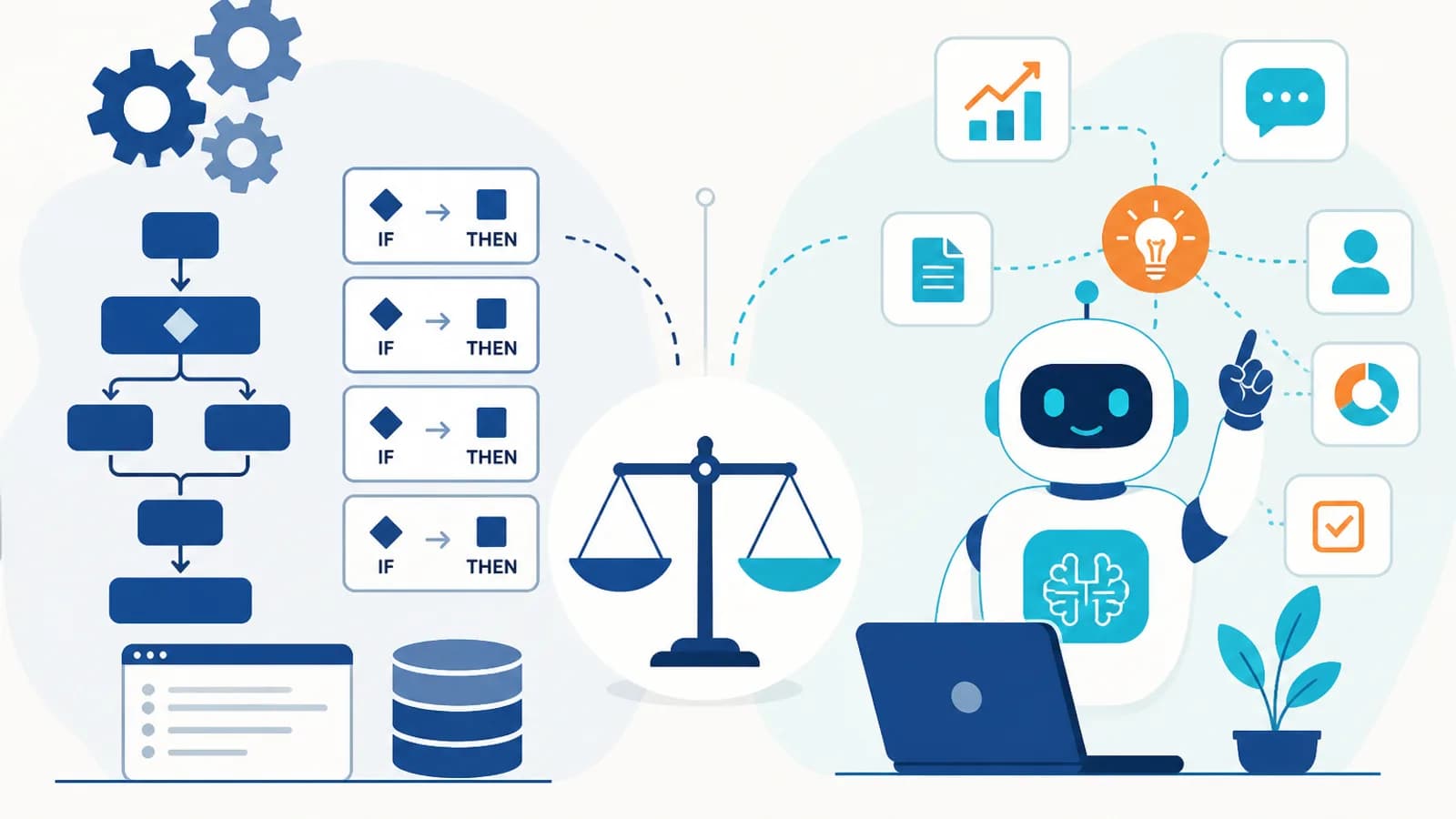
AI Agents vs Traditional Automation: What Businesses Should Choose in 2026?
10 August 2026