
Quick Take
- Connect your tools and add AI reasoning
- Learn 10 practical business processes you can automate with n8n and AI agents in 2026—plus architecture, ROI, and human-in-the-loop controls
What You'll Learn
In this article you'll learn:
- What Is n8n?
- What Is an AI Agent?
- Why Combine n8n With AI Agents?
- 10 Business Processes You Can Automate
- Bonus: AI-Powered Social Media Automation
- A Complete AI Business Automation Example
How This Works
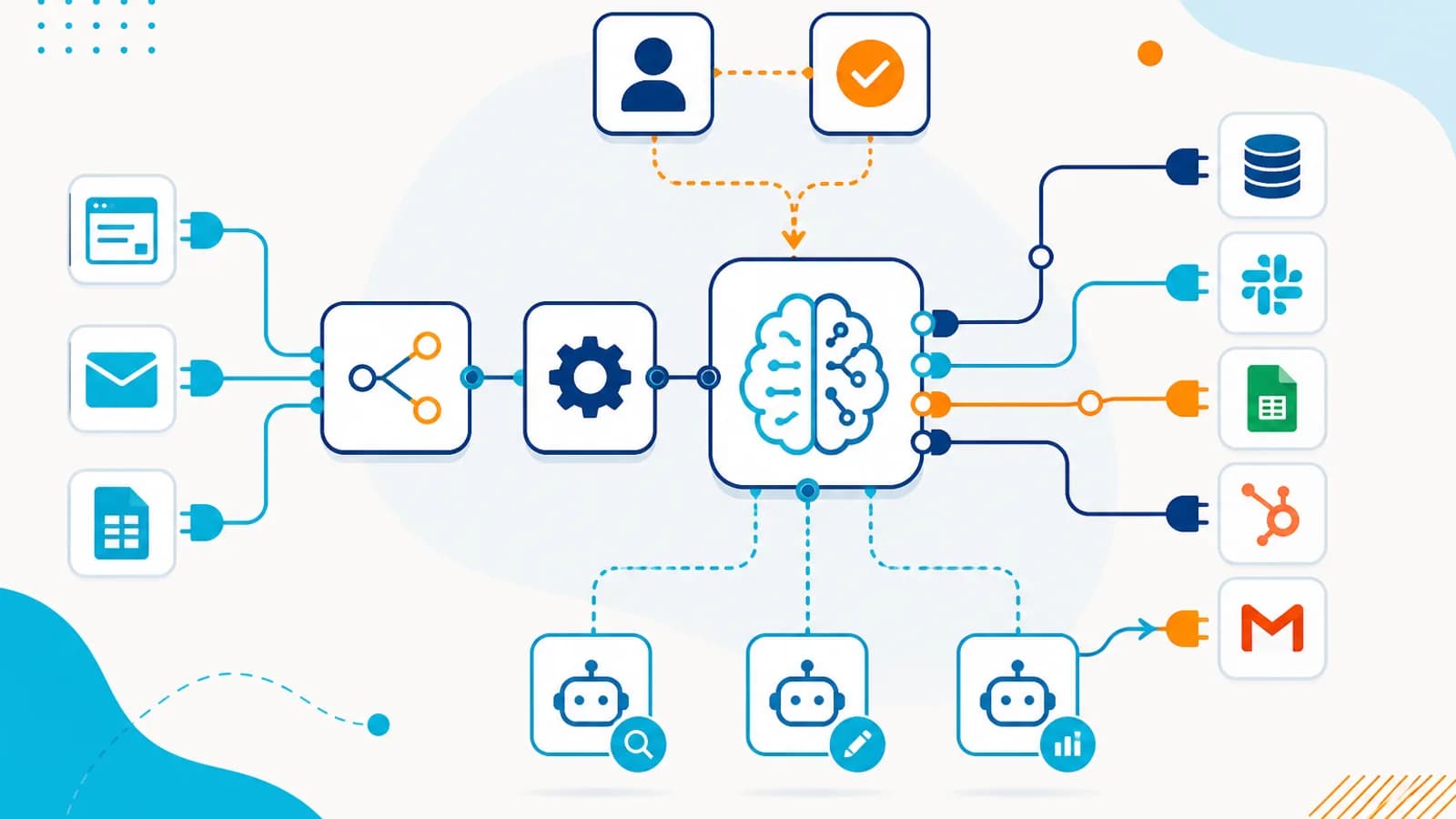
Automation replaces repetitive handoffs by applying rules or AI-assisted decisions, then executing actions in connected business systems.
Automation workflow
- Step 1: Manual process
- Step 2: Rules / AI
- Step 3: Automation workflow
- Step 4: Business system
- Step 5: Notification
- Step 6: Dashboard
Have a similar process in your organization?
Explore Your Automation Opportunity →Businesses don’t usually have a shortage of software. They have a shortage of connected workflows. A lead arrives through a website, but someone has to enter it into the CRM. A customer sends a WhatsApp message, but someone has to read it and decide what to do. A sales call happens, but someone still has to summarize it and update the CRM.
A new blog is published, but someone has to manually turn it into LinkedIn, Instagram, and email content. An invoice arrives, but someone has to extract the information and send it to the accounting team. The problem isn’t always a lack of tools. The problem is that information doesn’t automatically move between the tools businesses already use.
This is where n8n + AI agents can become extremely powerful. n8n can connect applications, APIs, databases, webhooks, and business systems into workflows, while AI agents can add reasoning, interpretation, classification, and decision-making to those workflows. Together, they can turn fragmented business processes into intelligent, automated workflows.
In this article, we’ll look at 10 business processes you can automate using n8n and AI agents in 2026, along with how these workflows can be structured and where human approval should remain in the loop.
What Is n8n?#
n8n is a workflow automation platform that allows businesses to connect applications and services and automate processes. A workflow can connect APIs, databases, CRMs, email, webhooks, Google Sheets, Slack, WhatsApp integrations, e-commerce platforms, AI models, internal applications, and external services.
A simple workflow might look like: Webhook → Process Data → CRM → Email. But n8n becomes considerably more powerful when AI is introduced. A more advanced workflow could look like: Customer Message → AI Agent → Understand Intent → Retrieve Information → Decide Action → CRM/API → Response. This is where the combination becomes interesting.
What Is an AI Agent?#
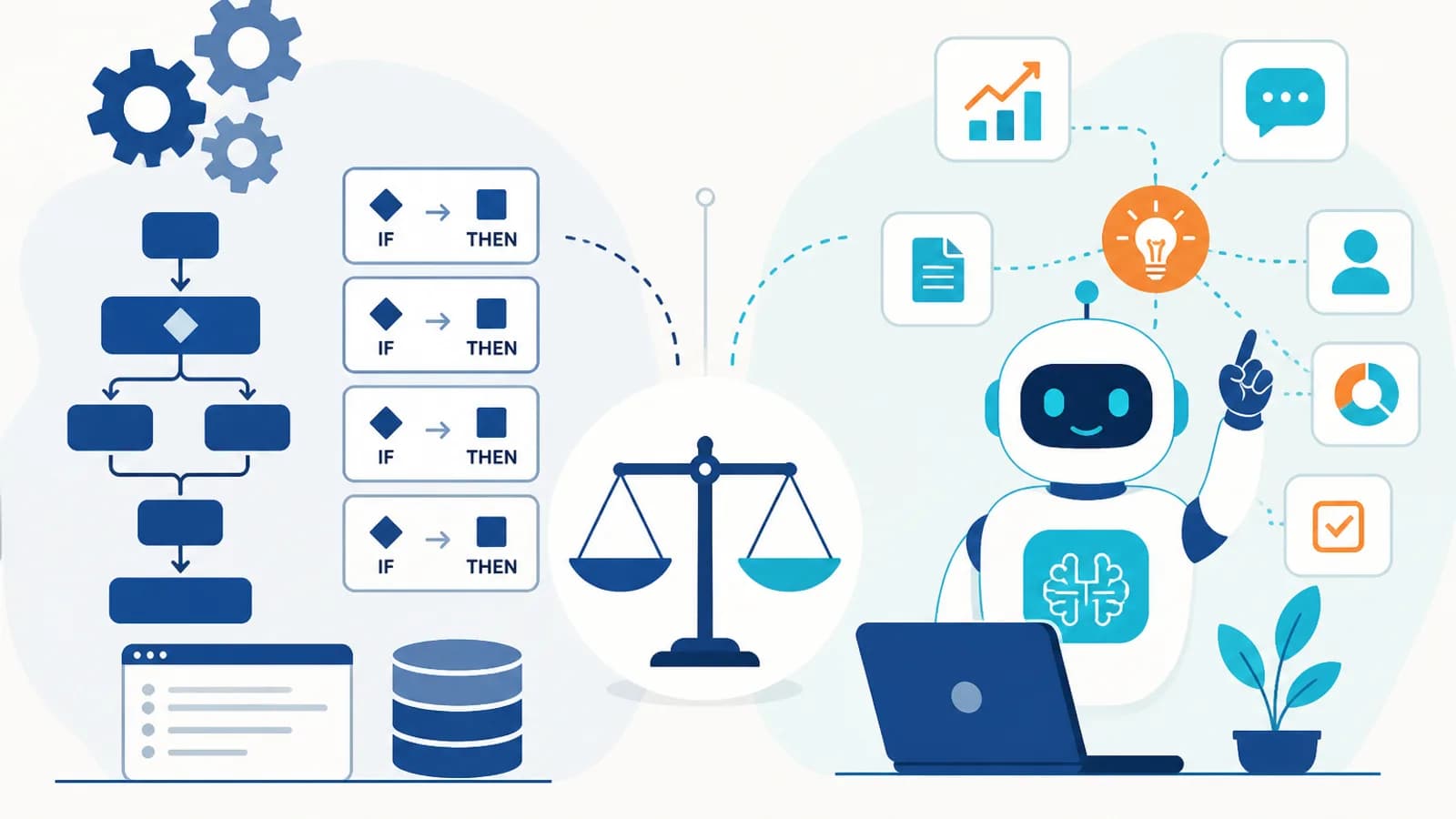
An AI agent is a system that can work toward a defined goal by interpreting information, reasoning about it, using tools, and taking approved actions. For example, a traditional workflow might say: If a lead submits a form, add the lead to the CRM.
An AI-powered workflow can do much more: Analyze the lead, understand the requirements, determine whether the prospect fits the target customer profile, identify priority, update the CRM, draft a personalized response, and notify the appropriate salesperson. The AI agent handles the reasoning. n8n handles much of the workflow orchestration and integration. This creates a powerful combination: AI + Automation + APIs + Business Systems.
Why Combine n8n With AI Agents?#
AI agents are good at understanding natural language, classifying information, summarizing content, reasoning about context, generating responses, extracting information, and making recommendations. Automation platforms are good at connecting systems, calling APIs, moving data, triggering workflows, scheduling tasks, executing deterministic actions, and handling integrations.
Together: AI decides what should happen. n8n helps make it happen. The exact division depends on the workflow, but this is a useful mental model.
10 Business Processes You Can Automate#
Let’s look at ten practical use cases.
1. AI Lead Capture and Qualification#
Lead qualification is one of the most valuable areas for automation. Businesses receive leads from website forms, landing pages, Facebook campaigns, LinkedIn, WhatsApp, email, advertising platforms, chatbots, and referral campaigns. A traditional workflow may simply create a CRM record. An AI-powered n8n workflow can go much further.
Example workflow: Website Form → n8n Webhook → AI Agent analyzes company, requirement, budget, timeline, service interest, and customer type → Lead Qualification → CRM → Personalized Email → Sales Notification. The AI agent can classify the lead and determine the appropriate next step based on your business rules.
Example: A lead says they’re an education consultancy with five branches needing a CRM to manage student applications, counsellors, follow-ups, and reporting. The AI can identify industry (Education), requirement (CRM), complexity (High), potential solution (Education CRM), and priority (High)—then route the lead to the appropriate sales team.
2. AI-Powered Customer Support#
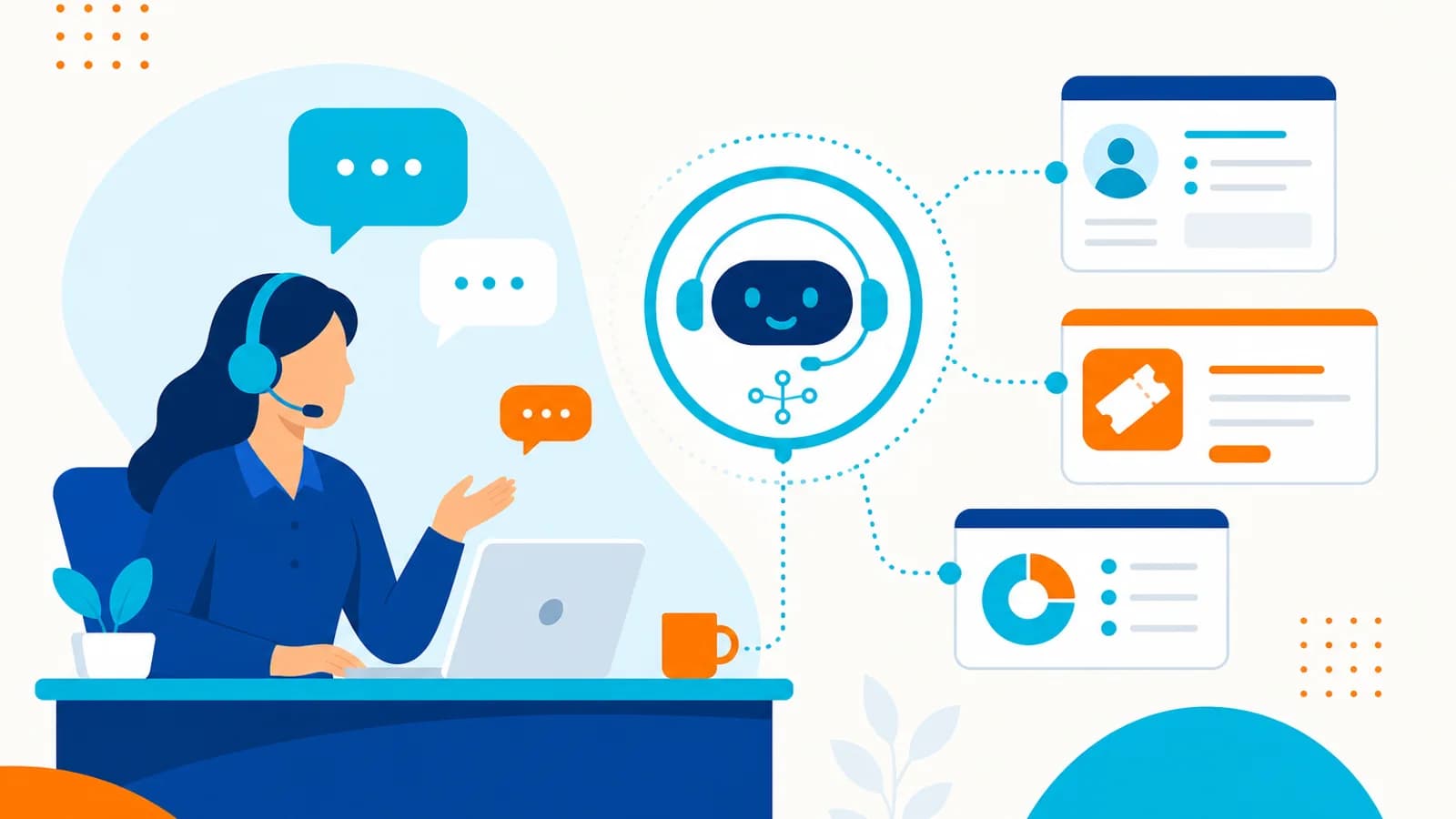
Customer support generates enormous amounts of repetitive communication. Businesses can use n8n + AI agents to automate first-level support. Example workflow: Customer Message → n8n → AI Agent identifies intent, searches knowledge base, checks customer information, generates response → Customer. If unresolved: Create Support Ticket → Human Agent.
The AI doesn’t need to solve every problem. Instead, it can handle routine requests and escalate complex cases. For example, if a customer says they paid yesterday but their account still shows inactive, the AI agent can identify the customer, check account, payment, and subscription status, search support information, determine the next action, and respond or escalate. This can significantly reduce repetitive support work.
3. AI Email Management#
Email is one of the most common sources of manual work. An n8n workflow can monitor incoming messages and use an AI agent to classify them. Example: New Email → n8n Email Trigger → AI Agent classifies as Sales, Support, Finance, HR, Urgent, Spam, or General → Action.
Depending on the category: Sales → CRM, Support → Ticket, Finance → Accounting workflow, Urgent → Slack/notification, General → Draft response. This turns an inbox into an automated routing system.
4. AI-Powered CRM Updates#
Many CRM systems fail because employees don’t consistently update them. After a sales call, someone may forget to enter customer requirements, objections, next steps, follow-up date, opportunity stage, and notes. An AI workflow can reduce this manual work.
Workflow: Call Recording / Transcript → n8n → AI Agent extracts requirements, budget, timeline, objections, competitors, and next steps → CRM Update → Follow-Up Task. The salesperson can review the information instead of entering everything manually.
5. Automated Content Creation and Distribution#
Content marketing involves much more than writing one article. A typical workflow is Research → Write → Edit → Create Social Content → Publish → Distribute → Analyze. n8n can connect these steps.
Example workflow: New Blog Published → n8n Trigger → AI Agent generates LinkedIn post, X post, newsletter summary, Instagram caption, and short-form content ideas → Human Approval → Publish / Schedule. This is particularly useful for businesses that want to maintain a consistent content distribution process. The key is to keep a human approval step for brand-sensitive content.
6. AI-Powered Lead Nurturing#
Not every lead is ready to buy immediately. Some prospects need more information, case studies, pricing, product demonstrations, follow-ups, and educational content. An AI agent can help determine what communication should happen next.
Workflow: Lead Enters CRM → n8n → AI Agent analyzes lead stage, previous communication, industry, interest, and engagement → Determine next action → Generate Personalized Message → Approval / Send → CRM Update. The important difference from basic email automation is that the message can be based on customer context.
7. Document Processing#
Businesses process documents every day—invoices, purchase orders, contracts, applications, forms, reports, resumes, and statements. Traditional workflows often require employees to manually extract information. AI can help understand unstructured documents.
Example workflow: Document Uploaded → n8n → AI Document Processing extracts name, company, amount, date, reference number, and required fields → Validate → Database / CRM / ERP → Notification. This can dramatically reduce manual data-entry work. For sensitive documents, businesses should implement appropriate access controls and validation.
8. AI Sales Research#
Sales teams spend time researching prospects before meetings. An AI-powered workflow can automate parts of this process. Workflow: New CRM Opportunity → n8n → AI Research Agent collects available information and summarizes company, industry, business model, potential needs, relevant products, and recent developments → Sales Brief → Salesperson.
Before a meeting, the salesperson receives a concise summary. Instead of spending 30 minutes researching manually, they can start with a prepared briefing and verify important information.
9. Automated Reporting and Business Intelligence#
Managers often spend significant time collecting data from multiple systems—CRM, Google Analytics, advertising platforms, e-commerce, finance, and project management. n8n can collect the data. AI can interpret it.
Example workflow: Schedule → n8n → Collect data → AI Analysis identifies important changes, sales trends, marketing performance, operational issues, anomalies, and opportunities → Management Report delivered through email, Slack, dashboard, Google Docs, or an internal application. Instead of simply showing numbers, the AI can explain what changed and why it may matter.
10. AI E-Commerce Automation#
E-commerce businesses have multiple interconnected workflows. An n8n + AI architecture can connect Customer → Product → Order → Payment → Inventory → Shipping → Support → CRM.
Example: A customer asks for a laptop under ₹80,000 for programming and machine learning. The AI agent can understand requirements, search the product catalog, compare products, recommend options, answer questions, and assist with selection. After purchase: Order Created → n8n → Payment verification → Inventory update → Shipping workflow → Customer notification → CRM update → Post-purchase follow-up. This combines AI reasoning with deterministic business automation.
Bonus: AI-Powered Social Media Automation#
Social media is another area where n8n + AI agents can create an end-to-end workflow. Example: Product Added to Shopify → n8n Trigger → AI Agent retrieves product name, description, features, images, price, and brand information → Generates Instagram caption, Facebook post, LinkedIn content, and hashtags → Human Approval → Schedule / Publish → Collect engagement data → Analyze performance. This can turn social media management into a repeatable workflow.
A Complete AI Business Automation Example#
Let’s combine several workflows into one business system. Imagine an education consultancy. A student submits a website inquiry.
Step 1: Lead Capture — Website → n8n → CRM. Step 2: AI Qualification — AI identifies course preference, country, academic background, budget, and intake. Step 3: Profile Creation — CRM is automatically updated. Step 4: AI Recommendation — The system retrieves relevant course and university information. Step 5: Counsellor Assignment — The workflow assigns the student to the appropriate counsellor.
Step 6: Communication — AI generates an initial personalized message. Step 7: Follow-Up — The workflow schedules future activities. Step 8: Counsellor Assistance — AI provides recommended next steps. Step 9: Reporting — Management receives new leads, qualified leads, conversion rate, pending follow-ups, and counsellor performance. The entire journey becomes one connected workflow.
Where AI Should Make Decisions—and Where It Shouldn’t#
Not every step requires AI. This distinction is extremely important. Use AI for understanding language, classifying content, summarizing information, extracting information, recommendations, contextual decisions, and personalization.
Use traditional automation for sending notifications, updating records, moving data, calling APIs, scheduling, calculations, and deterministic business rules. Use human approval for financial transactions, legal decisions, sensitive communications, high-value deals, destructive actions, and important business decisions. This creates a much more reliable architecture.
The Architecture of n8n + AI Agents#
A typical architecture can look like: User / Event → n8n Trigger → AI Agent → Context / Knowledge → Decision → Tools → APIs / Databases / Applications → Business Action → Logging / Monitoring → Human Escalation if Required.
The AI agent doesn’t need direct unrestricted access to every system. Instead, expose controlled tools—for example CRM tools to read customer, create lead, and update lead; email tools to draft and send approved email; database tools to search customer and retrieve order. This approach improves security and control.
n8n orchestrates triggers and integrations while AI agents handle interpretation, tool use, and multi-step decisions.
n8n + AI agent architecture
- Step 1: Trigger
- Step 2: n8n workflow
- Step 3: AI agent
- Step 4: Tools / APIs
- Step 5: Business system
- Step 6: Notification
Have a similar process in your organization?
Explore Your Automation Opportunity →RAG + n8n + AI Agents#
For many business workflows, an AI agent needs access to company-specific information. This is where RAG (Retrieval-Augmented Generation) can be useful. For example, if a customer asks about your refund policy for enterprise subscriptions, the AI shouldn’t rely purely on general model knowledge.
Instead: Question → Retrieve company policy → AI Agent → Generate answer based on retrieved information → Customer. The knowledge source could include PDFs, company documents, FAQs, product documentation, policies, and knowledge bases. This makes AI responses more grounded in business information.
Human-in-the-Loop Workflows#
The best automation doesn’t necessarily eliminate humans. It puts humans at the right point in the process. Low Risk: AI → Execute. Medium Risk: AI → Draft → Human Approval → Execute. High Risk: AI → Analyze → Human Decision → Execute. This allows businesses to benefit from automation without giving AI unrestricted authority.
How to Choose the Right Workflow#
Before automating a process, ask: How frequently does it happen? How much employee time does it consume? Is the process repetitive? Does it require interpretation? Does it involve multiple systems? What happens if the AI makes a mistake? Can the result be measured?
High-frequency processes usually offer greater ROI. If the process is repetitive, automation may be suitable. If it requires interpretation, AI may add value. If it involves multiple systems, an orchestration layer such as n8n can be useful. Define the acceptable risk level and identify a KPI before building.
Calculate the ROI#
Suppose a team of five employees spends 2 hours per day processing leads—that’s 10 hours per day. If the effective employee cost is ₹500/hour, the daily cost is approximately ₹5,000. Over 22 working days: ₹1,10,000 per month. If an AI workflow significantly reduces this workload, the business has a measurable automation opportunity.
However, calculate the full cost: development, n8n infrastructure, AI model usage, APIs, maintenance, monitoring, and human review. The goal is not simply to automate. It is to create positive business ROI.
Common Mistakes When Building AI Workflows#
Using AI for everything: simple rules don’t need AI—if Status = Paid → Send confirmation, a normal workflow is sufficient. Giving AI too much freedom: agents should have controlled tools and permissions. Automating a broken process: fix the workflow before automating it. Ignoring data quality: bad CRM data produces bad AI decisions.
No human approval: critical workflows should have appropriate review mechanisms. No monitoring: you need to know what the agent did, why it did it, which tools it used, what failed, and what was escalated. Measuring AI instead of business outcomes: measure hours saved, cost reduction, faster response, lead conversion, revenue, customer satisfaction, and error reduction—not simply how many AI calls you made.
A Practical Roadmap for Businesses#
You don’t need to automate your entire organization immediately. Start with one workflow. Phase 1 — Identify: Map the existing process. Phase 2 — Measure: Record time, cost, volume, errors, and business impact. Phase 3 — Automate: Use n8n for deterministic steps. Phase 4 — Add AI: Introduce AI where interpretation or reasoning is required.
Phase 5 — Add Controls: Implement permissions, approval, logging, monitoring, and error handling. Phase 6 — Optimize: Measure results and improve. Phase 7 — Scale: Once one workflow is stable, connect it with other workflows. This creates an automation ecosystem rather than isolated automations.
The Future of n8n + AI Agents#
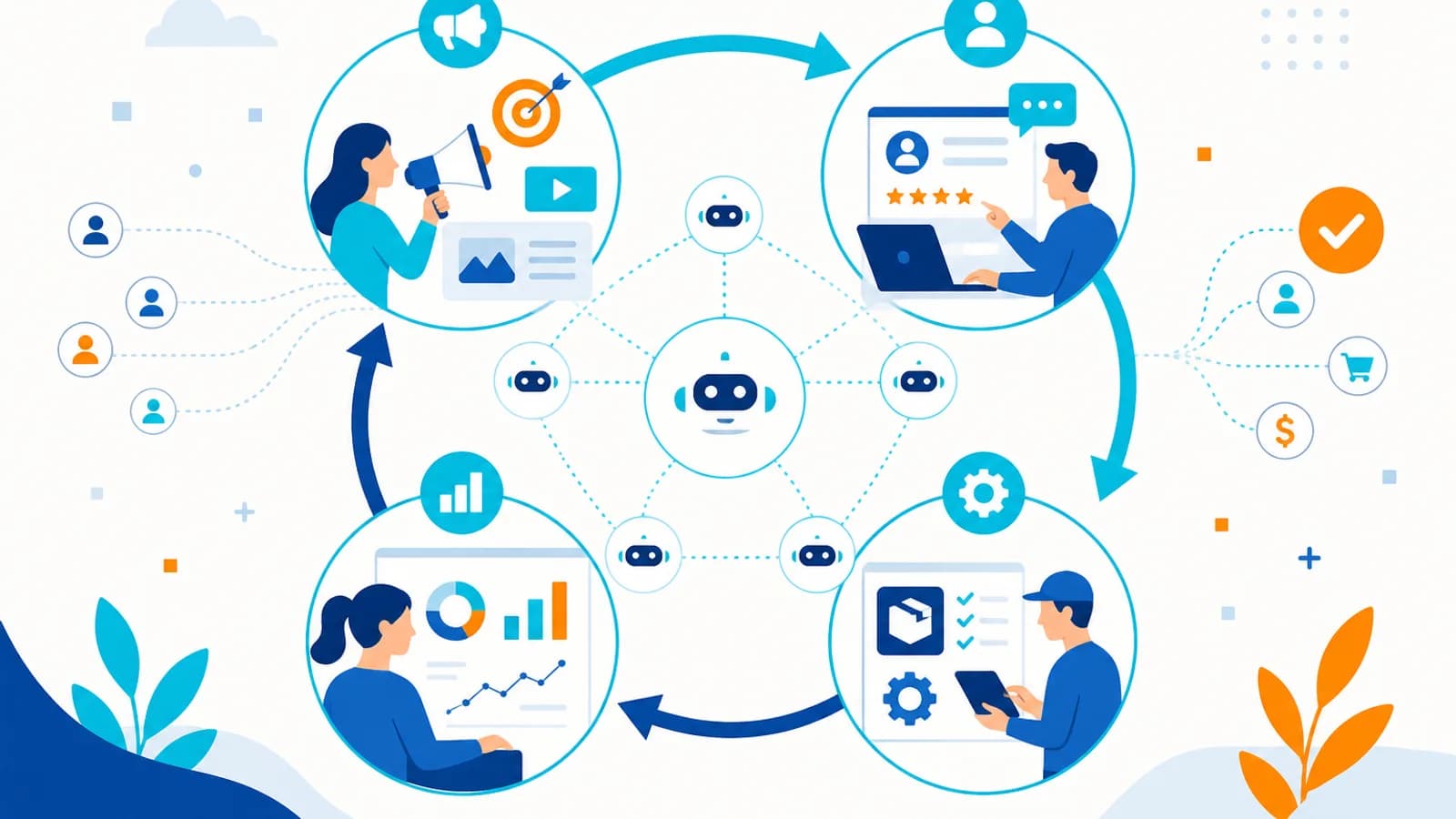
The biggest opportunity isn’t creating individual AI workflows. It’s connecting workflows together. For example: Marketing → Lead Generation → Sales → Lead Qualification → CRM → Customer Onboarding → Support → Customer Success → Upsell → Finance → Invoice → Payment → Analytics → Business Intelligence.
The business begins to operate as a connected digital workflow. This is where AI agents can become more than chatbots. They become digital workers operating within controlled business processes.
Final Thoughts#
n8n and AI agents solve different parts of the automation problem. n8n is powerful for connecting systems, triggering workflows, moving data, and executing integrations. AI agents add intelligence where workflows need to understand information, reason about context, make recommendations, or decide what should happen next.
Together, they can automate processes across sales, marketing, customer support, CRM, finance, HR, e-commerce, operations, reporting, and knowledge management. But successful AI automation isn’t about replacing every employee or putting an AI agent in front of every workflow. It’s about identifying where intelligent automation can remove repetitive work while keeping humans in control of important decisions.
The best architecture is often: AI for reasoning. n8n for orchestration. APIs for integration. Databases for reliable data. RAG for business knowledge. Humans for judgment. That combination can transform disconnected business processes into intelligent, measurable, and scalable workflows.
The Bottom Line#
If your business repeatedly moves information between applications, reads and classifies messages, updates CRM records, processes documents, follows up with customers, generates reports, or creates repetitive content, you probably have automation opportunities.
Start with one process. Measure its cost. Automate the deterministic steps. Add AI where reasoning is required. Keep humans involved where risk demands it. Then expand.
Because the real value of n8n + AI agents isn’t simply automating individual tasks. It’s building a business where information can move intelligently from trigger → decision → action → outcome with far less manual intervention. That’s the future of business workflow automation in 2026.
If you want help designing production-ready flows, explore AIOBook’s n8n automation services alongside AI automation services, AI agent development, and custom CRM development — so triggers, decisions, and system updates stay reliable.
How This Benefits an Organization
Let’s look at ten practical use cases.
- Less repetitive work
- Fewer handoff errors
- Connected systems
- Better operational visibility
You May Also Like
How to Build an AI Customer Support Agent for Your Business in 2026
10 August 2026
How Businesses Can Automate Their Entire Workflow Using AI Agents in 2026
10 August 2026
AI Agents vs Traditional Automation: What Businesses Should Choose in 2026?
10 August 2026
AI-Powered CRM: Why Traditional CRMs Are Becoming Outdated in 2026
10 August 2026